Dental Marketing Checklist
For NEW Dental Practices AND for Practices that are NEW to Marketing

For NEW Dental Practices AND for Practices that are NEW to Marketing

I am Varun Tandon, expert at growing Dental Practices through Online Marketing. MY expertise is in targeting the right patients through the right Digital Channels & bringing them into your practice.
We focus on your ROI - Return On Investment to make sure you are profitable.
Varun Tandon
Schedule a FREE Breakthrough Strategy Call: http://cal.rockintech.com/varun_tandon

- Informational
- SEO - Search Engine Optimization
- PPC - Pay Per Click
➢ Be 100% clear if you will advertise prices online or not.
➢ If you don’t have a marketing budget, go with a very simple Informational website.
➢ Do not try to do Search Engine Optimization on the cheap (SEO). You will end up getting frustrated with no results.
OR worse, if it turns out to be a BAD channel for your location, money is wasted.

➢ Shared or WordPress hosting works well for information websites
➢ We recommend: Bluehost.com OR InMotionHosting.com
- They both are excellent providers with 24 hrs Customer Service.
Cost: $4-$7 per month
Bluehost : bluehost.com
Inmotionhosting: inmotion-hosting.evyy.net
➢ We recommend their Cloud option ONLY IF you are doing Search Engine
Optimization
➢ It is much FASTER which helps with rankings in Google/Bing/Yahoo search engines
We recommend Bluehost.com Cloud Hosting: bluehost.com
Cost: $10 per month (cheapest you will find ANYWHERE)

➢ You MUST have phone call tracking to record and track “where” potential patients call from. The Call Tracking number should be on your website to start with.
➢ THEN anytime you invest into any advertising channel, you MUST have a separate phone number for each AD channel... which does not cost much. - AD channel can be: Google Adwords, Direct Mailers/postcards, ValPak, Facebook ADs, Organic rankings etc...
➢ If you can’t track where people come from, how would you decide later on where to spend your money?
We Recommend: CallTrackingMetrics.com - Checkout how Phone Call Tracking works.
As an Agency, we get much better pricing with many Call Tracking Vendors.

➢ Claim your Google Business page (Google My Business), Yelp profile and
Facebook profile - Now!
Claim Google Profile: HERE
Claim Yelp Profile: HERE
Create a New Facebook Page: HERE
OPTION 1: Review Software with Front Desk Involvement. Have your Front Desk
request reviews when a patient is "checked out". Using a system (like Rockin Review Software), your front-desk can send a Review Request thru Text message and/or Email.
Cost of Software: $50 per month
OPTION 2: Automated. A Review request system that syncs with your appointment calendar. An automated text/email is sent out requesting reviews.
We get 50% off on BirdEye.com ~ $125 per month
It is important to start building [raving] reviews on these profiles/pages...and quick. Don't be afraid to ask all new patients to leave review.
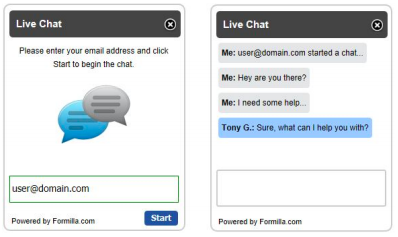
➢ Remember that percent, so when the time comes to spend marketing dollars, you are ready to invest in LiveChat on your website.
DO IT YOURSELF: Recommended LiveChat software for your Front-Office: LiveHelpNow.net
➢ When you are ready to SCALE, it would be better to automate that part and
outsource it to an external company.
Talk to me about Outsourcing it, I have options for you to choose from!

1. A Simple Website Form
➢ Include the following fields:
- Name
- Email
- Phone Number
- Preferred Date and Hours
➢ Do NOT add additional fields to this form... Visitors will not fill it out if you do.
➢ For WordPress, we recommend Contact Form 7 OR Gravity Forms.
2. ScheduleOnce.com
➢ ScheduleOnce will allow website visitors to pick 3 time-slots that works for
them.
➢ This platform works really well for high traffic offices that do NOT want to expose their real schedule online.
Cost: $19 per month
3. LocalMed.com
➢ Syncs with the 'Schedule' function in your PMS - patient management system
➢ As an Agency, I have a partnership with LocalMed to get you discounts on setup as well on your monthly charges.
➢ You don't need to use this IF you have "Open Dental" patient management system. they already have a cheaper version for you to use on your website.
 ➢ For Open Dental users, this secure web-form functionality comes built-in (just another reason why Dentists love "Open Dental")
➢ But, if you are not pleased with the option your Patient Management System provides, this is a great secondary option.
➢ Your front-desk can easily export the form and then import into your PMS (patient management system).
Cost: Between $30 to $39 per month
Try it For Free: formstack.com

➢ Your website must have Google Analytics tracking...EVEN IF you don’t look at it
for a year, set it up.
➢ When it’s time to invest into marketing channels, this will give you a baseline of how your website has performed overtime.

Step 1. Run a design contest for Logo, Flyers design here: 48hourslogo.com
Step 2. About 30-50 designers will compete and submit their designs according to your specifications - content, colors etc.
Step 3. You will pick the design/designer you like most.
You have unlimited revisions until you are happy.
See Sample Flyers for NEW Dental Offices and Dental
Implants here: https://goo.gl/hwXRNd

➢ Every Open Dental user (Dentists) I have spoken to LOVES the software.
➢ It is the Cheapest and one of the MOST Reliable software for Practice Management.
➢ It integrates with most other software (as they are Open Source)
➢ We got Custom reports you are use with Open Dental.
Try it out for free here: opendental.com/trial.html

➢ This is one of the cheapest and reliable we found.
➢ They have integrations with a few Patient Management Software - PMS
Starting price is $15 per month
Check their website for complete list of integrations

1. “Did someone REFER you to us? If so, who? We would love to thank them!” ➢ If it’s a person, thank them personally. They are talking about you...they will get you more referrals.
2. Follow up question on #1 - “How did you HEAR about our office? Did you find us on Yelp, Google, Facebook or another source?” ➢ This will correctly identify what source is bringing you the most money overtime.
3. “What is your current MARITAL status? I would love to keep this in your patient records”
➢ A lot of offices don’t collect this specific piece of info. This will help your
future marketing campaigns by a lot.

➢ Setup your Patient Management Software to have Referral Sources.
- Ask your Patient Management Software (PMS) support on how-to do it.
➢ It’s a one-time setup - add the following to start with:
- Yelp
- Google/Bing ADs
- SEO - Search Engine Optimization
- Facebook
- Instagram
- Postcard Mailers
- Patient Referral
- Community Event
Add more here....

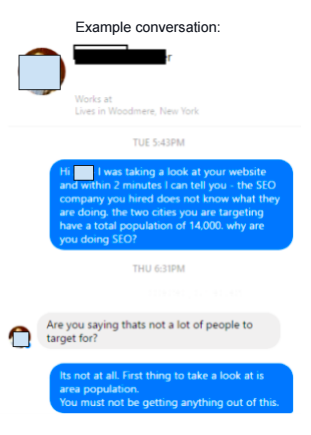
1. City/Zip-Code Population Density
➢ Look at population density and general population of an area - this helps
with Search Engine Optimization.
➢ If the population is too low, Search Engine Optimization will not be a
channel you could use.
2. Traffic Flow - checkout freeways/roads, congestion to figure out where you would want to advertise.
➢ Ideally, choose a location going away from traffic AND a location coming in from a higher density.
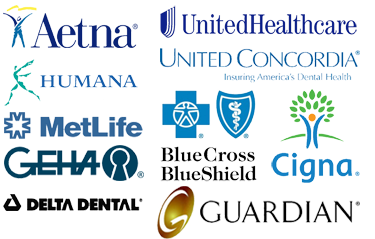
3. Area Demographic - Do the vast majority of the people in the area have Dental insurance?
➢ Get to know the people in the area and what (if any) Dental Insurance is prominate...do you offer it? Another thing to consider is Medicaid...is the area a high Medicaid area? Do you offer it?

4. Office Accessibility- Will you office be easy to get to...can it be easily seen? Accessibility and viability are key!
➢ Are there any physical barriers (Rivers, freeways) that may separate the area and make accessing your office a bit more difficult?
➢ Is your office freestanding or in a complex, can people easily see it or can it be missed?
Note: There are MANY more pressing factors that take precedence in picking an office location, these are to be kept in mind or part of your checklist.